Active Watch Face (com.watch.richface.active) on Google Play
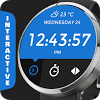
Interactive Watch Face!With the introduction of the interactive watch faces API, Military Digital Watch Face now supports tap functions.New tap features (Only for Android Wear 1.3!):✔ Interactive indicators Only one tap is needed to switch between informations✔ Stopwatch✔ Material design colors (tap in center to switch between colors)***************IMPORTANT: Before tap interactions are enabled, your watch needs the latest version of Android Wear (v1.3) which is rolling out over the next few weeks. Hang tight for the update!***************Active Watch Face for Android 5 (Round and Square) made by RichFace watches.Features:✔ Hour, Date, Hour format✔ Weather (Yahoo, Open weather, YR)✔ Battery indicator✔ Phone battery indicator✔ Daily steps counterConfiguration: ✔ Tap on right icon to choose iindicator✔ Change hour format✔ Choose colors✔ Set screen time✔ Choose of peek card size✔ Peek card translucent option✔ System bar position optionLive chat and email support on: http://www.richface.watchTip✔ If the watch face is not shown on your watch after re-sync, try these steps:1. Disconnect devices (watch and phone)2. Uninstall the watch face3. Restart watch and connect device again4. Then finally install the watch faceTo install:1. After install run 'Resync app' on Android Wear App.2. Long press your android wear watch and choose RichFace Digital as you watch face